- Published on
Designing Game UI with AI: Lessons from My Card Puzzle Project
- Authors

- Name
- Leon
- @leonpzhao
I've been working on a card-based puzzle game recently. Each card represents a character with their own clues, and players need to deduce the next clue from current information. Since I'm not a designer, I turned to AI tools for help with the UI.
The Stitch Disappointment
I started with Google's Stitch. I'd previously used it to design a voice note app, and the results were impressive. But for game UI? The output was surprisingly poor.
I tried multiple approaches:
- Different style prompts: cute style, detective style
- Different models: Gemini Flash, Gemini Pro
- Applied my previous Stitch tips: comparing different prompts, providing style references
None of it worked.
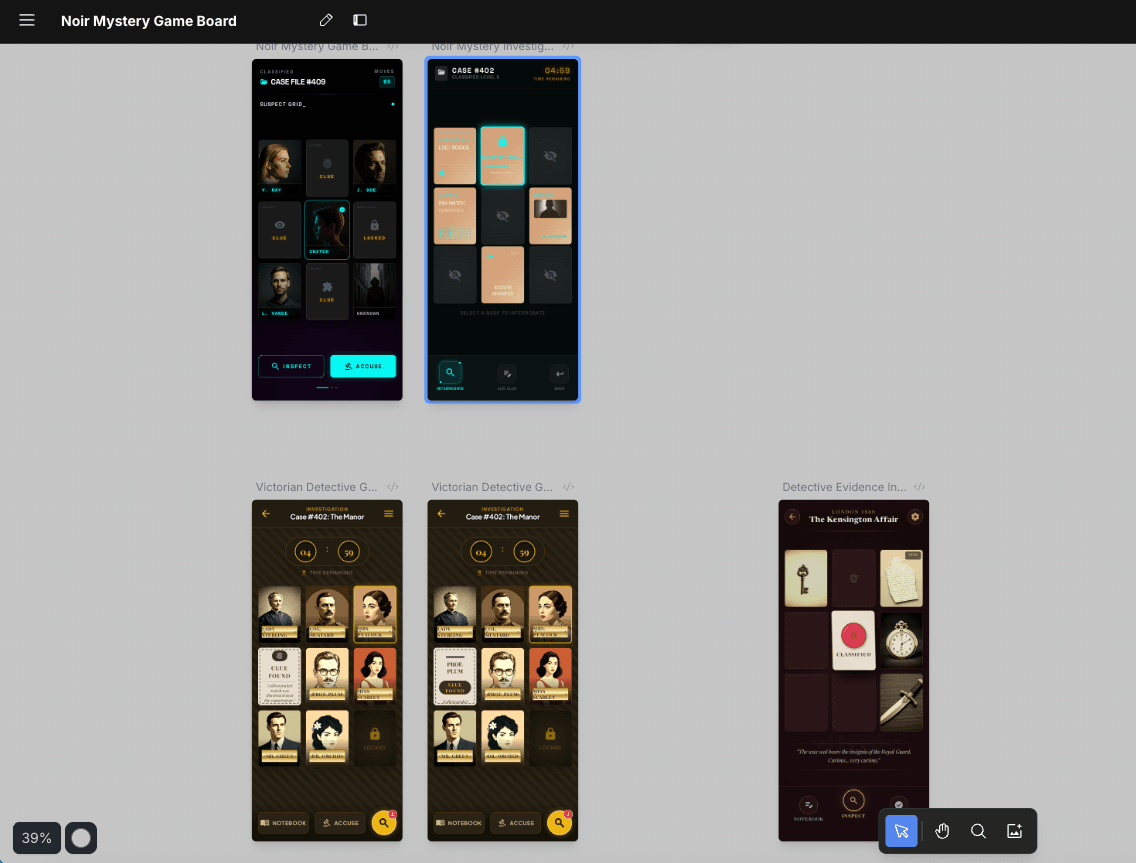
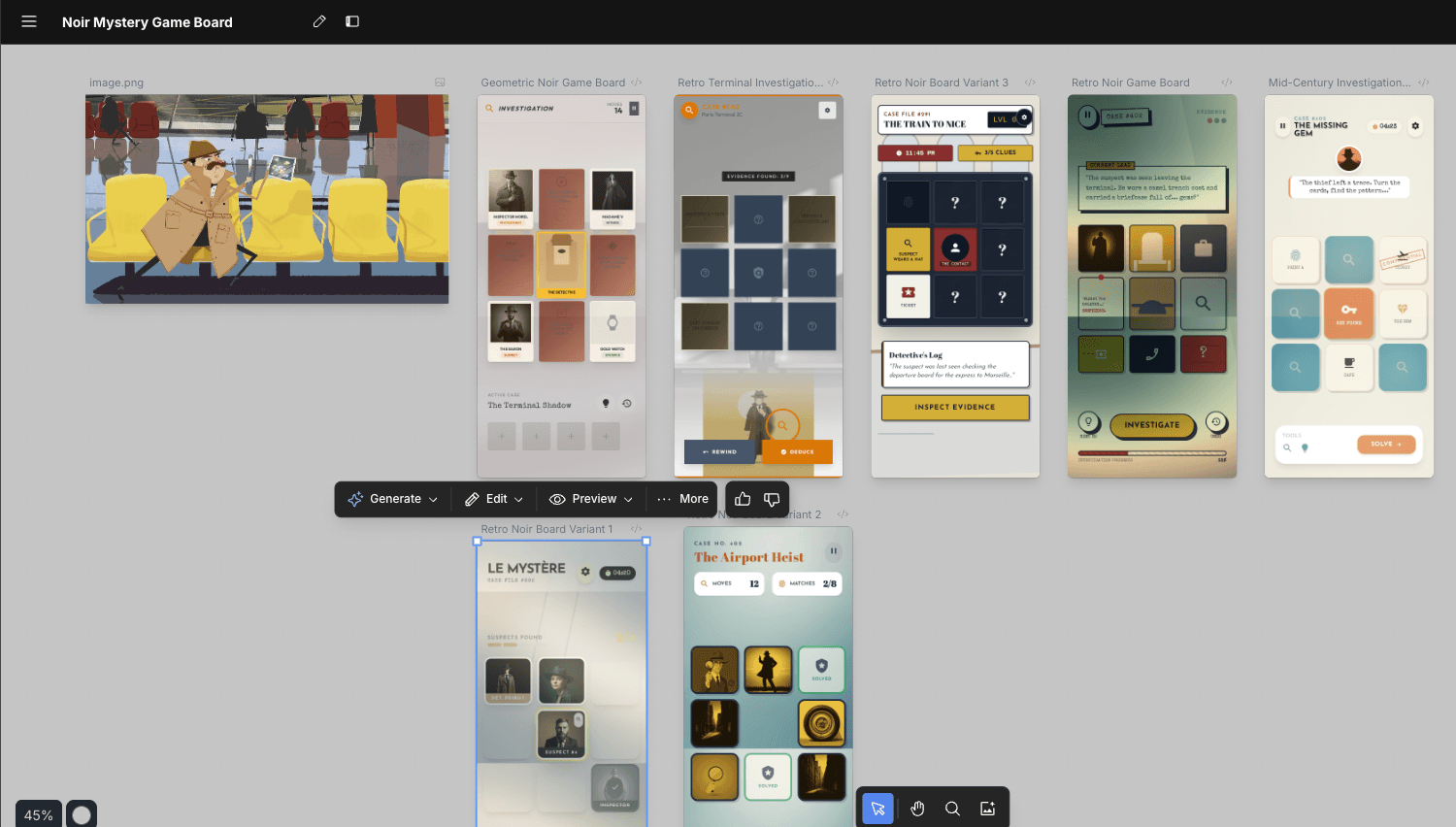
My theory: Stitch's training data is heavily skewed toward app UIs. App interfaces follow relatively consistent patterns, but game UIs are wildly diverse in style. This likely explains why Stitch performs well for apps but struggles with games.
ChatGPT vs Gemini: A Clear Winner
I pivoted to using ChatGPT and Gemini purely for image generation, rather than relying on Stitch's end-to-end UI generation.
The difference was stark:
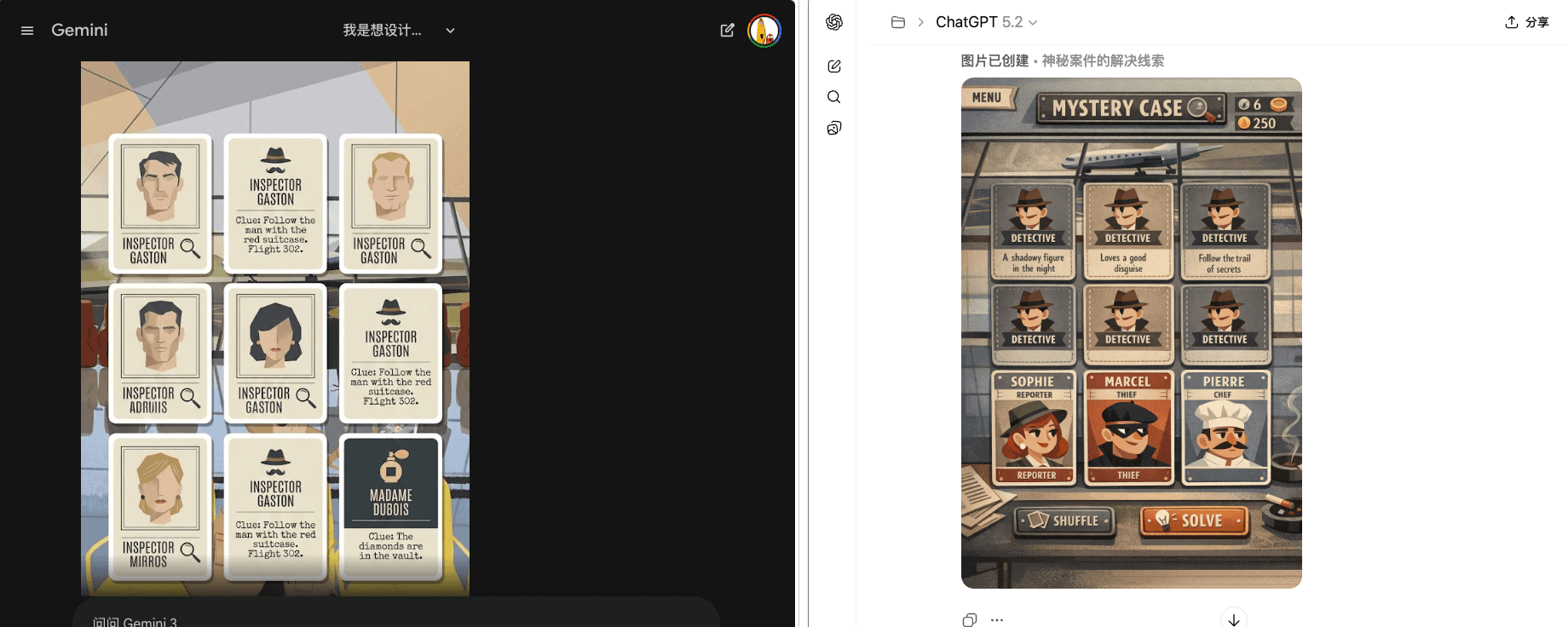
ChatGPT's output was significantly better—more polished, more creative, more game-like. Gemini's results remained mediocre.
The Image-to-Code Bottleneck
With a good UI mockup from ChatGPT, the next challenge was converting it to frontend code. This is where things broke down again.
- Direct image-to-code conversion: poor fidelity
- Importing into Stitch: couldn't reproduce the style
- AI-generated code from the image: far from the original design
The Pragmatic Workaround
I ended up with a more manual but reliable workflow:
Extract elements → Figma → Code
- Manually extract individual UI elements from the generated image
- Assemble them in Figma
- Convert the Figma design to code
It's slower, but the visual control is much better than asking AI to write code directly from an image.
A New Hope: Figma Vectorize
Just today, I discovered Figma's new Vectorize tool in Figma Design and Figma Draw. It can identify and segment regions within an image—exactly what I needed.
This could solve my problem: take ChatGPT-generated UI mockups, use Vectorize to extract elements, convert to Figma components, then generate code with much higher fidelity.
I'm planning to test this workflow soon.
Key Takeaways
This experience taught me that tools like Stitch still have significant limitations:
- Domain matters: AI UI tools trained primarily on app data struggle with game interfaces
- Image generation varies wildly: ChatGPT significantly outperforms Gemini for creative UI mockups
- The last mile is still broken: Image-to-code conversion remains a major bottleneck
- Hybrid workflows win: Combining AI generation with manual Figma work produces better results than pure AI approaches
For now, if you want creative game-style UI, you're better off using ChatGPT for ideation, then manually decomposing and implementing the design.